
Download PDF Professional Read Annotate – free PDF editor, annotate, convert, and present
Overview
PDF Professional Read & Annotate is a robust, all‑in‑one PDF utility that aims to turn every interaction with PDF files into a streamlined, productive experience. Whether you are a student needing to highlight lecture notes, a legal professional reviewing contracts, or a marketer preparing client‑facing presentations, this tool offers a free‑to‑download core set of features that cover the entire PDF lifecycle—from viewing and annotating to converting and presenting. The interface balances simplicity with depth, allowing beginners to start annotating instantly while giving power users the ability to customize toolbars, create custom stamps, and even generate text‑to‑speech narrations of lengthy documents.
The software’s emphasis on security and document history ensures that all changes are recorded, so you never lose track of who added what comment or signature. Because it supports Windows, macOS, Android, and iOS, you can stay productive across desktops, laptops, tablets, and smartphones without sacrificing any core functionality. In short, PDF Professional Read & Annotate is designed to be a “PDF suite” rather than a single‑purpose viewer, offering a free, secure, and regularly updated solution for everyday PDF tasks.
Core Features & Capabilities
- Universal PDF Viewing: Fast rendering, night mode, thumbnail navigation, and smooth scrolling for documents of any size.
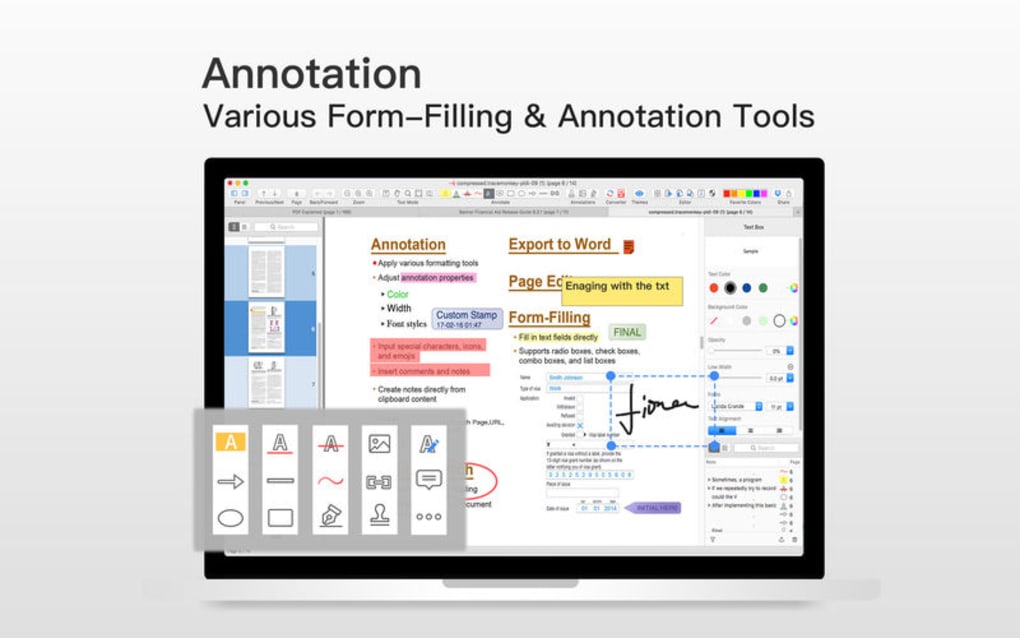
- Advanced Annotation Tools: Highlight, underline, strike‑through, add comments, insert icons, freehand drawing, and customizable symbols. Font styles and colors can be altered on the fly.
- Document History Tracking: Every annotation, comment, and signature is logged, making it easy to revert to previous versions or audit changes.
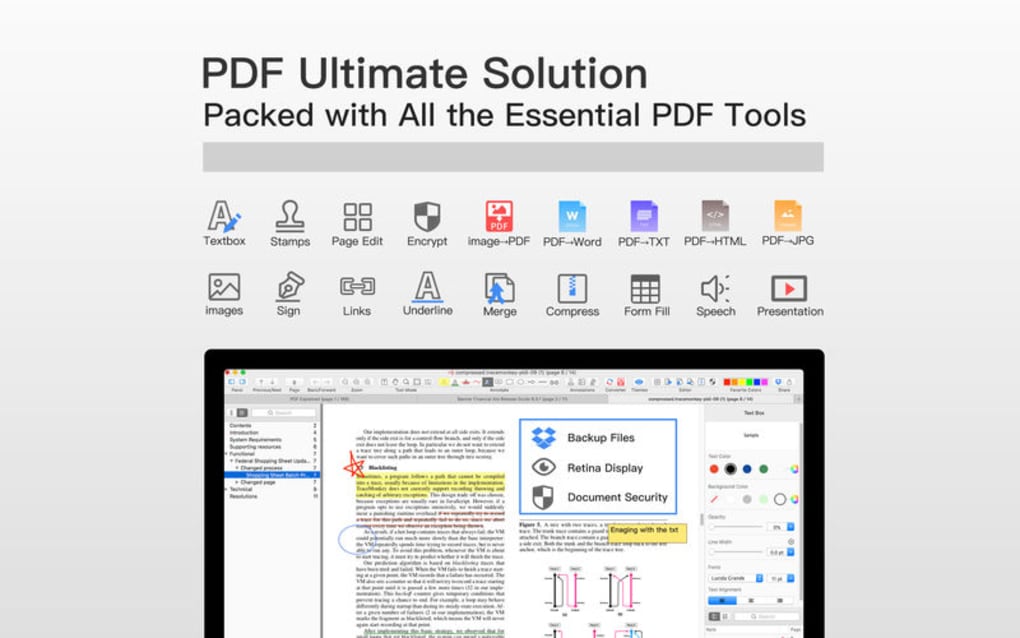
- Conversion Engine: Convert PDFs to Word (.docx), HTML, JPG, PNG, or plain text (.txt) without losing layout fidelity.
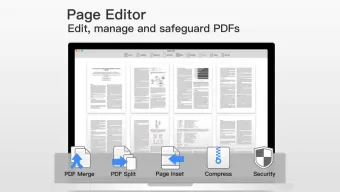
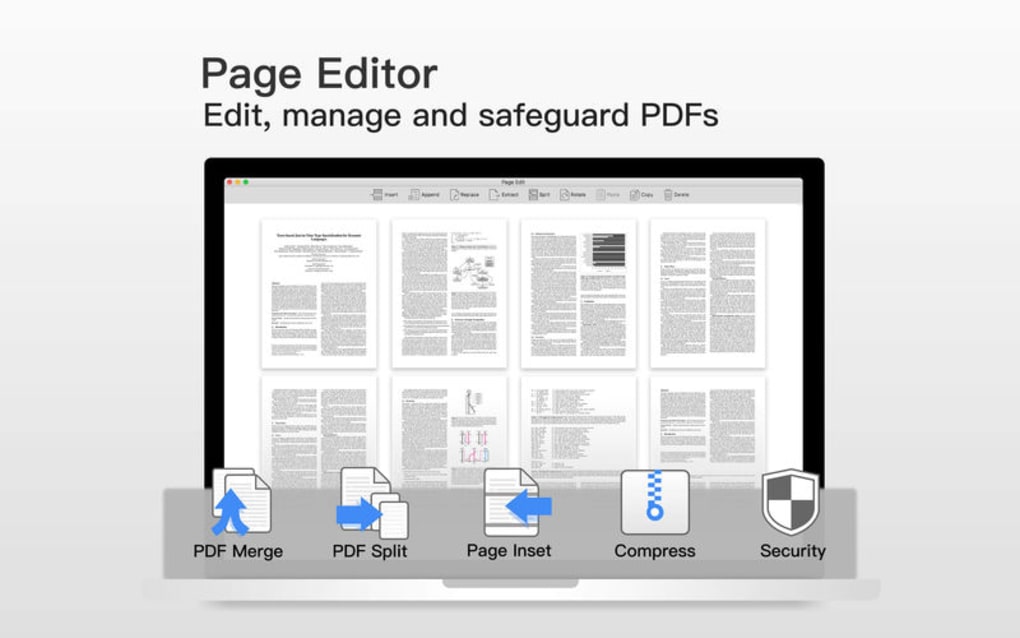
- Merge, Split & Compress: Combine multiple PDFs, extract specific pages, or shrink file size for email attachment.
- Customizable Toolbar: Drag‑and‑drop your most‑used tools to the top of the interface, saving clicks and improving workflow.
- PDF Presentations: Present PDFs directly in full‑screen mode with transition effects—no need to export to PowerPoint.
- Text‑to‑Speech (TTS): Let the app read documents aloud, ideal for multitasking or reducing eye strain.
- Stamps & Handwritten Signatures: Create custom stamps that combine images and text, and add legally‑binding handwritten signatures using a stylus or mouse.
- Security & Permissions: Password protection, redaction tools, and permission settings keep sensitive data safe.
Installation, First‑Run Setup & Compatibility
Getting started with PDF Professional Read & Annotate is intentionally straightforward. The installer is a lightweight .exe for Windows or a .dmg for macOS, while Android users download the .apk from the Play Store and iOS users obtain the app via the App Store. The step‑by‑step process is as follows:
- Download the installer: Visit the official website or your device’s store, click “Download Free,” and save the file.
- Run the installer: On Windows, double‑click the
.exe, accept the license agreement, and choose the destination folder. macOS users drag the app to the Applications folder. - Launch the application: The first launch triggers a brief “Welcome Tour” that highlights the toolbar layout, annotation shortcuts, and customization options.
- Set preferences: Within the Settings menu you can select default save locations, enable night mode, configure TTS voice, and import a custom toolbar preset.
- Verify operating‑system compatibility: The software runs on Windows 10/11 (64‑bit), macOS 10.15+ (Catalina onward), Android 8.0+ and iOS 13+. It also supports Linux via a portable .zip version, though official support is limited.
The application automatically checks for updates on launch, ensuring you receive the latest security patches and feature enhancements without manual intervention. For users in corporate environments, an optional silent‑install package can be deployed through group policy or Mobile Device Management (MDM) solutions, making large‑scale rollouts painless.
Pros, Cons & Frequently Asked Questions
Pros
- Completely free core features – no hidden subscription fees for basic annotation and conversion.
- Rich set of tools that rival paid PDF suites, including TTS and presentation mode.
- Cross‑platform availability ensures consistent workflow across devices.
- Highly customizable UI, allowing users to prioritize the tools they need most.
- Document history and secure permissions give confidence for legal and business use.
Cons
- Advanced OCR (optical character recognition) and batch processing are only available in the paid “Pro” upgrade.
- While the Android app is feature‑rich, the iOS version lags slightly behind in annotation smoothness.
- Large PDFs (>200 MB) may experience a brief loading delay on older hardware.
- Cloud sync is limited to manual export; native integration with services like Dropbox or Google Drive requires a separate plugin.
- Customer support is community‑driven for the free tier, which can result in slower response times.
Frequently Asked Questions
Can I use PDF Professional Read & Annotate offline?
Yes. All core features—including viewing, annotating, converting, and presenting—work completely offline. Cloud‑based features such as cloud sync require an internet connection, but the application does not depend on it for daily use.
Is the software safe for handling confidential documents?
Absolutely. PDF Professional offers password protection, permission settings, and redaction tools. Every change is logged, and the app does not transmit data unless you explicitly enable cloud sync.
How does the conversion quality compare to Adobe Acrobat?
The conversion engine maintains layout fidelity for most standard documents. Complex PDFs with intricate tables or embedded fonts may occasionally require manual tweaking, but overall the output quality is comparable to leading paid solutions.
Can I add a digital signature that complies with e‑sign regulations?
Yes. The app supports handwritten signatures as well as certified digital certificates. For legally binding signatures, you can import a PKI certificate and apply it directly to PDFs.
Is there a limit to the number of PDFs I can open simultaneously?
There is no hard‑coded limit. The practical limit depends on your system’s RAM and CPU. On a typical modern machine, you can comfortably work with 5‑10 large PDFs side by side.
Expert Review
Rating: 4.5/5
PDF Professional Read & Annotate stands out in a crowded market by delivering a feature‑rich, free experience that satisfies both casual users and power professionals. Its annotation suite is intuitive, the conversion tools are reliable, and the presentation mode is a unique addition rarely found in free apps. While the lack of batch OCR and occasional performance hiccups on very large files keep it from a perfect score, the overall value proposition is exceptional. Users looking for a cost‑effective, secure, and cross‑platform PDF solution will find this application more than adequate for daily tasks.
Conclusion & Call to Action
In an era where PDFs dominate business communication, having a versatile, secure, and free tool can make a huge difference in productivity. PDF Professional Read & Annotate delivers exactly that—a comprehensive suite that covers viewing, annotating, converting, compressing, and even presenting PDFs without forcing you into a subscription model. Its cross‑platform support means you can pick up where you left off whether you’re on a Windows desktop, a macOS laptop, or a mobile device. The few limitations—such as the absence of batch OCR in the free tier—are easily mitigated by the optional Pro upgrade, which remains reasonably priced.
If you’re ready to streamline your PDF workflow, download PDF Professional Read & Annotate today. Click the button below to get the latest version for your operating system, and start enjoying a smoother, more secure PDF experience right away.







